# Inventory Report
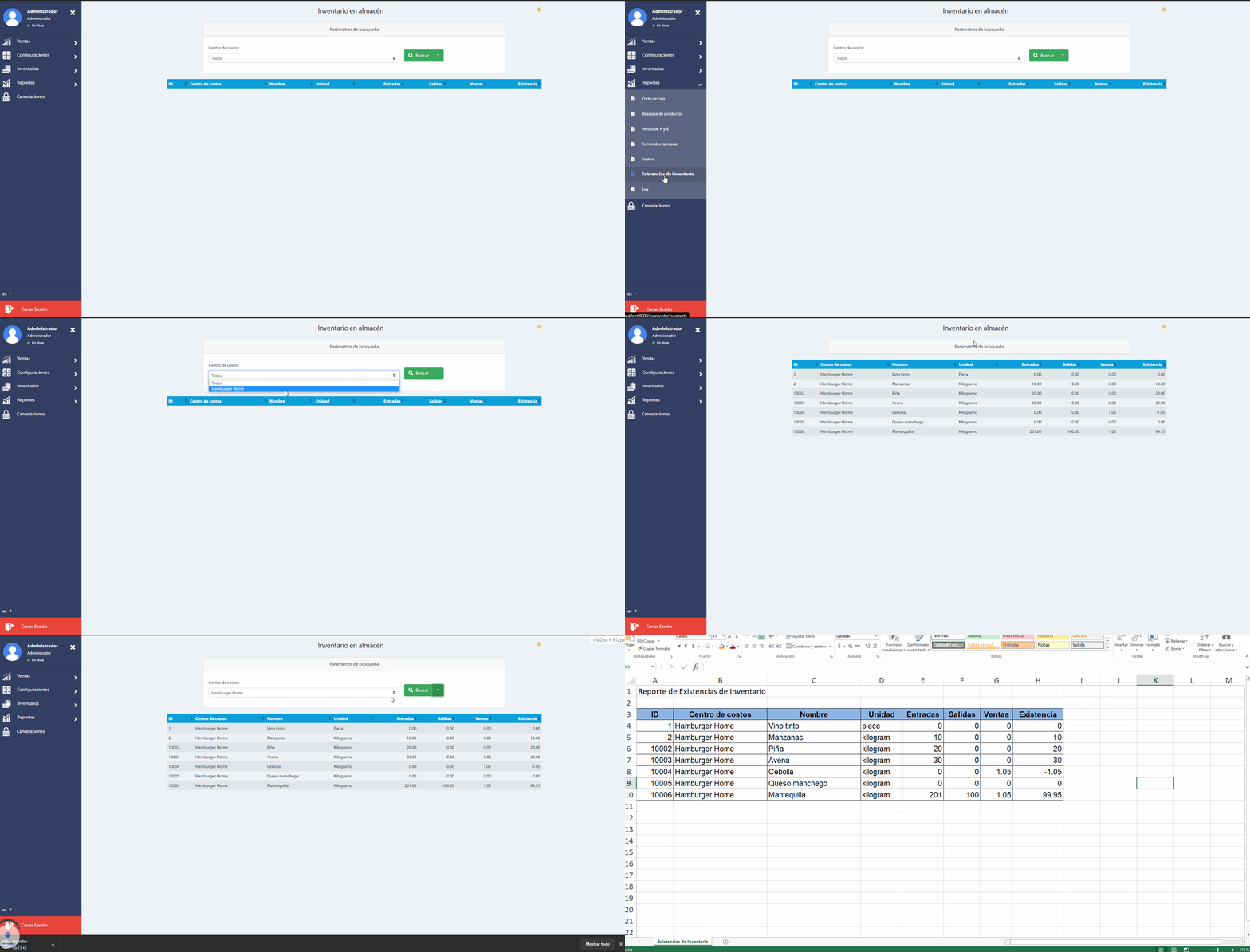
This report shows the amount of each supply available in the warehouse of each cost center, in order to control the purchase of supplies needed for the preparation of products.
To access this report choose the tab Reports from the main menu, and then click on "Inventory stocks".
Please note the following considerations:
The column Entries indicates the sum of supplies acquired in purchase orders and inventory movement records of type Entry by supply purchase.
The column Exits indicates the sum of inventory movement records of the type Exit due to loss.
The column Sales indicates the sum of all products and packages sold to the customer, based on recipes with supply. Either from table accounts or take-out accounts.
The Existence column is equal to the Entries column minus the sum of the Exists and Sales columns.