# Collect Bill
The Collect Bill section shows the list of Open Tables and Bills To-Go with confirmed products in the consumer centers, so that they can be collected.
To access this section go to the menu Sales and in the submenu choose Collect Account.
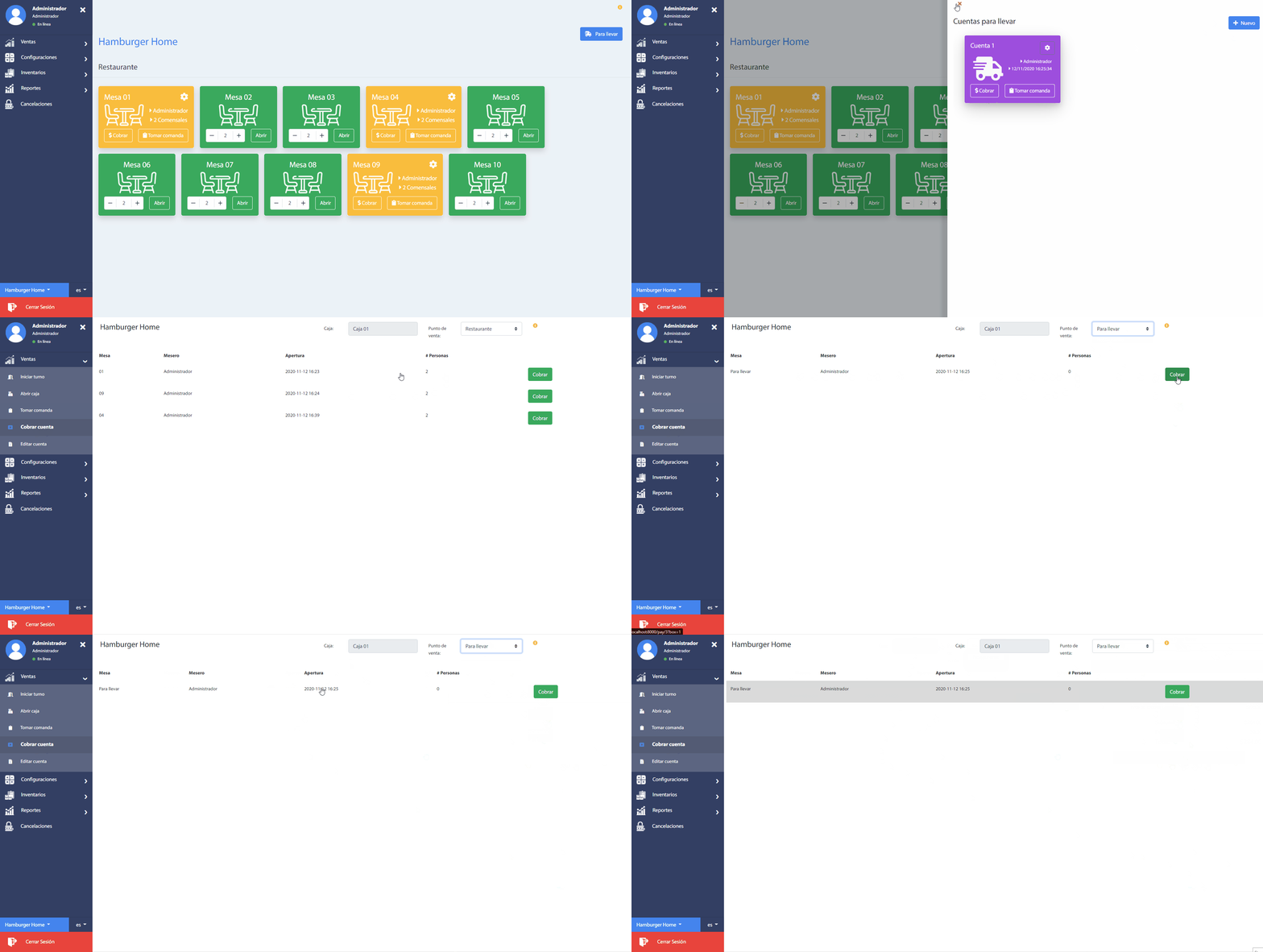
Note that when selecting the row of a table, it is possible to know the details of the created accounts and its products, and the option to print the ticket by account.
Selecting the green Collect button will redirect you to the collection section.
# Collect account
Another way to collect the account is through the section Sales -> Add order, and pressing the button Collect at the required table.
The Collect button is available for those tables opened with added and confirmed products.
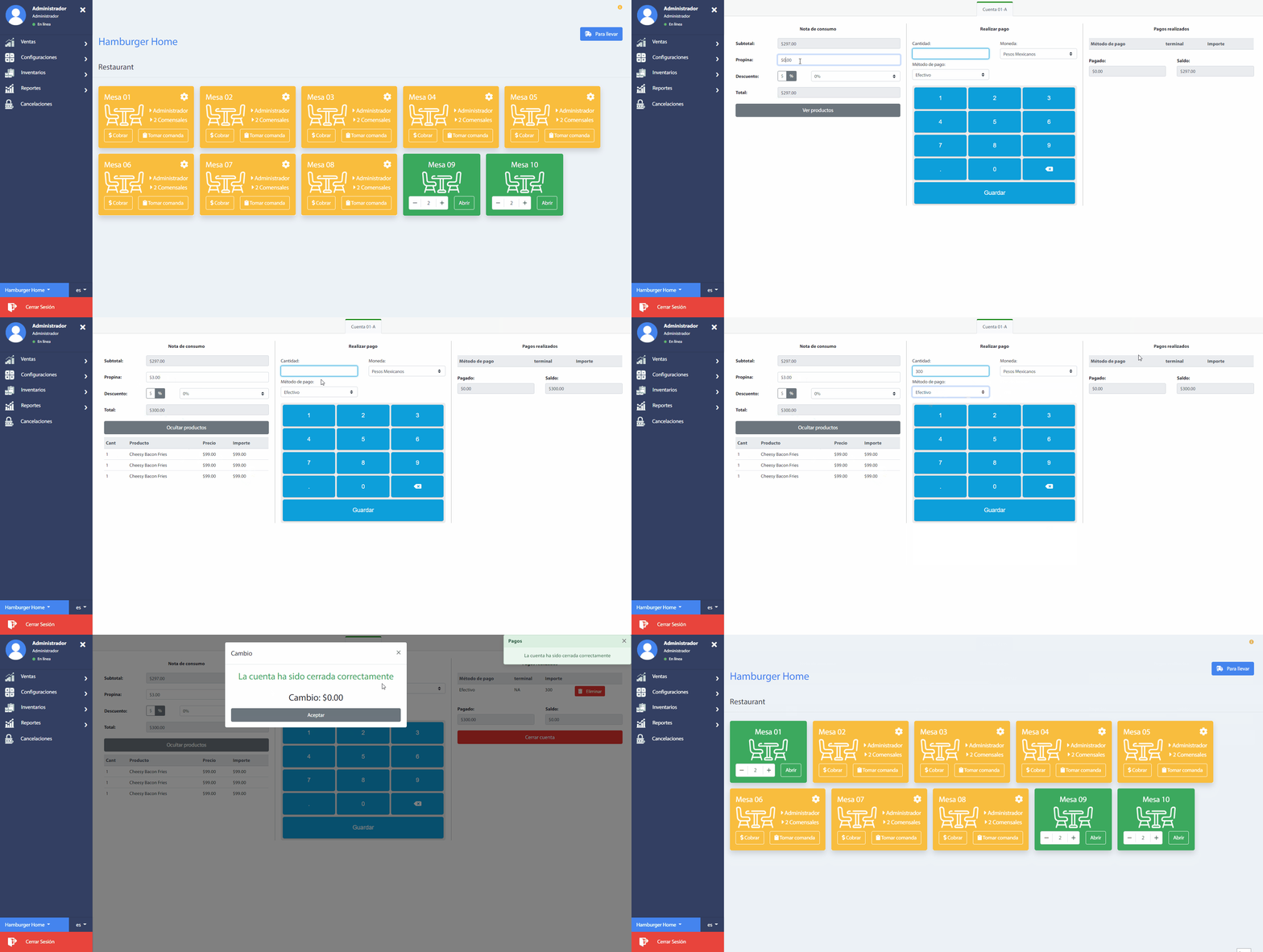
The payment section is divided into three main sections:
- The first section presents the Consumption note, indicating the amount to be charged, the tip to the client and if there is any discount
- The second section presents a form to enter the amount to be paid, the type of currency and the method of payment, which accepts credit or debit cards and cash.
- And the third section shows the information of the collections.
Recommendation
Different payment methods can be entered into the same account. However, in the case of credit or debit cards, the amount to be paid must be less than or equal to the total required.
Note that when entering payments it is necessary to close the account by clicking on the button Close Account. This button will be available when the total amount is covered.
Once you have closed all the accounts in the table, the system will automatically redirect you to the table list Sales -> Take command and the table will be available again. In the case of Bills To-go, they will disappear from the list.