# Start Shift
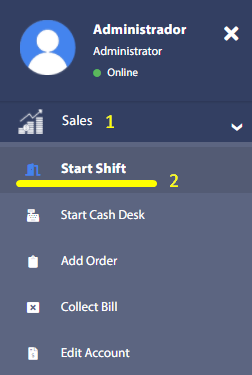
To start using the system, it is necessary to start the day's sales shift. This is achieved by accessing the menu Sales and in the drop-down submenu Start Shift.
# Shift opening
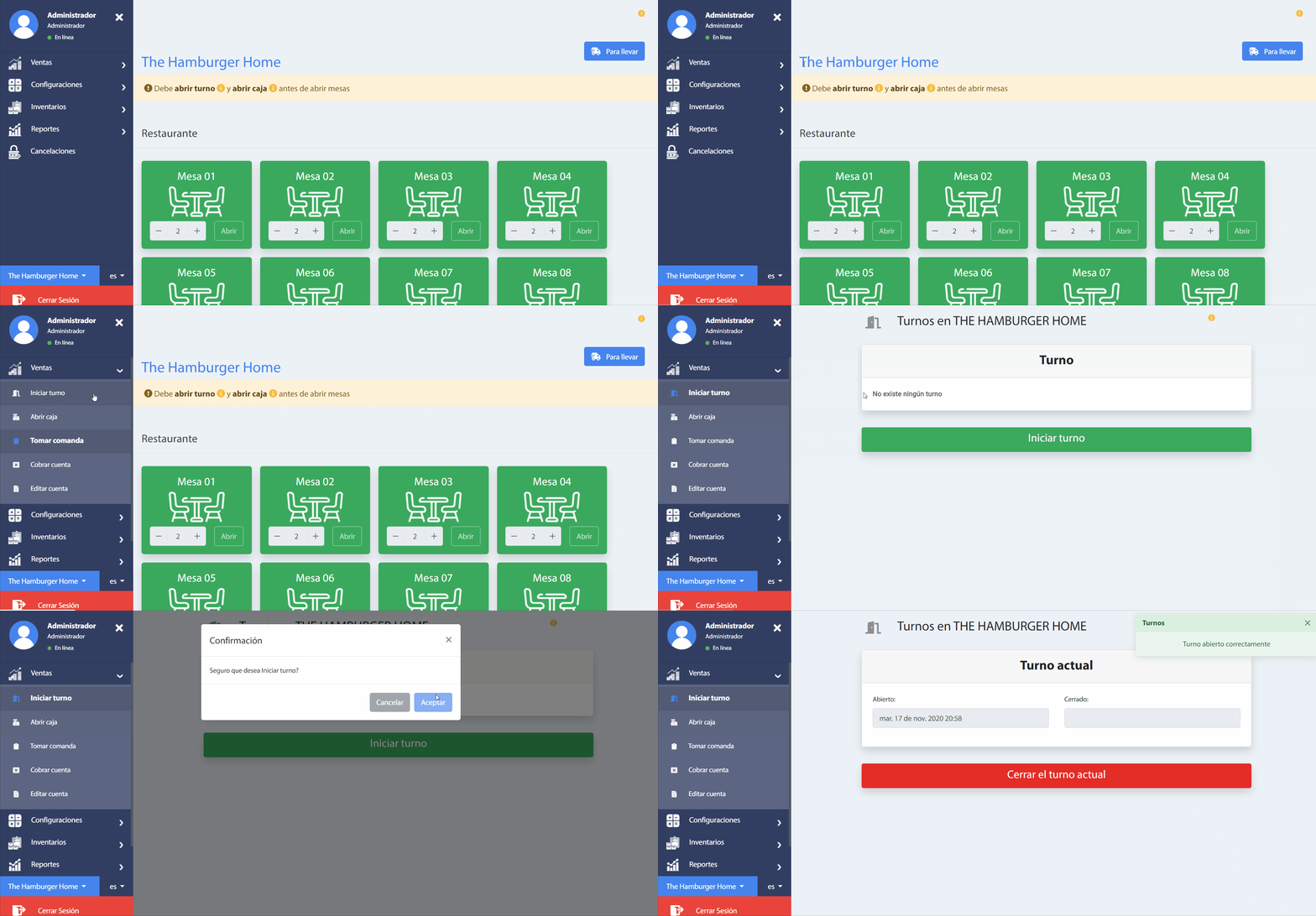
Once the window is loaded, the current shift in the system will be displayed. In case there is no active shift, a button to generate the day's shift will be shown as follows.
# End shift
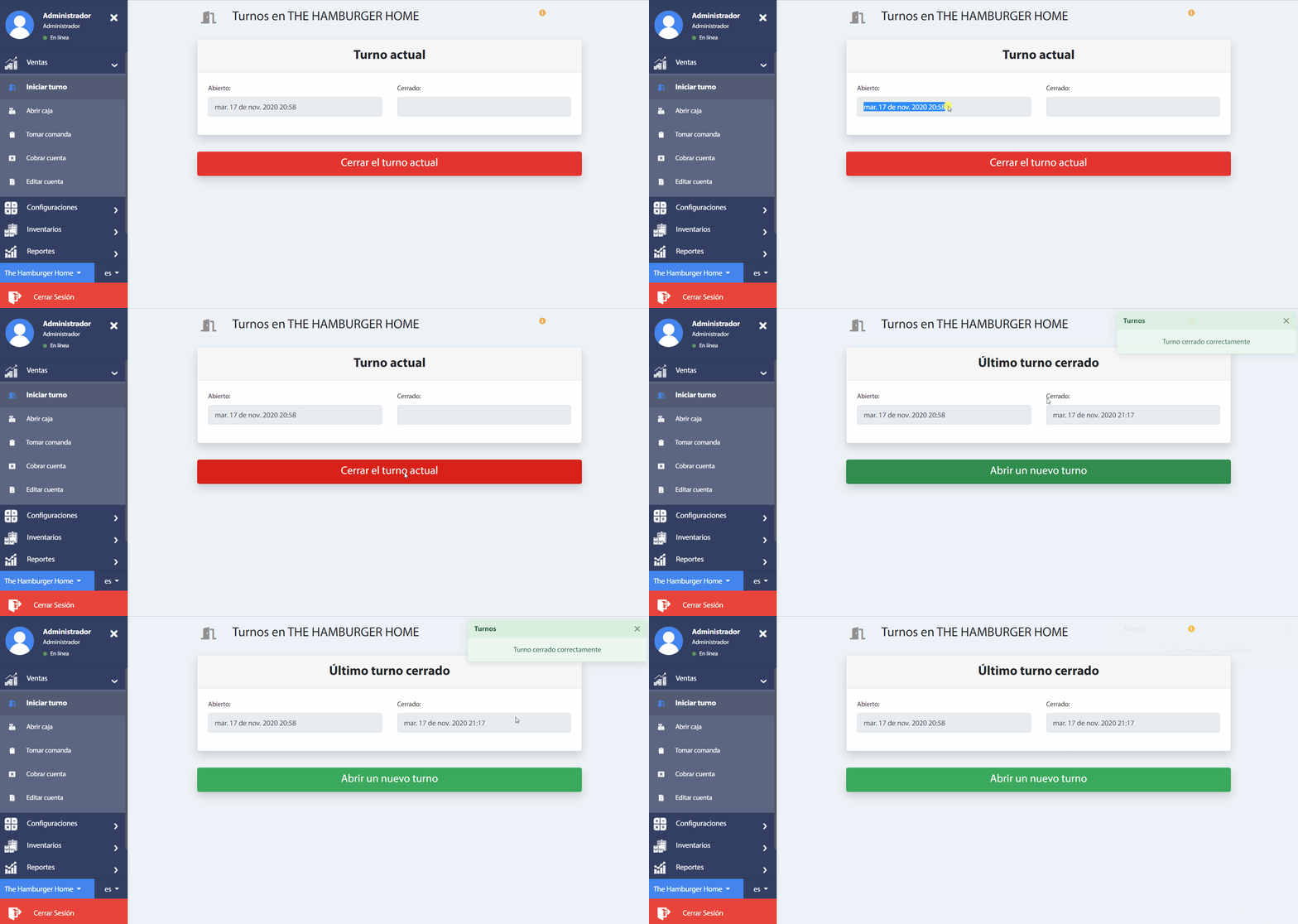
At the end of the day's sale, it is necessary to close the shift. To do this, click on the button Close current shift. A pop-up window will immediately appear to confirm the process.
Once the process is confirmed, a message will be shown that the shift closure has been successfully performed and the "Closed" field is filled with the date and time of application.
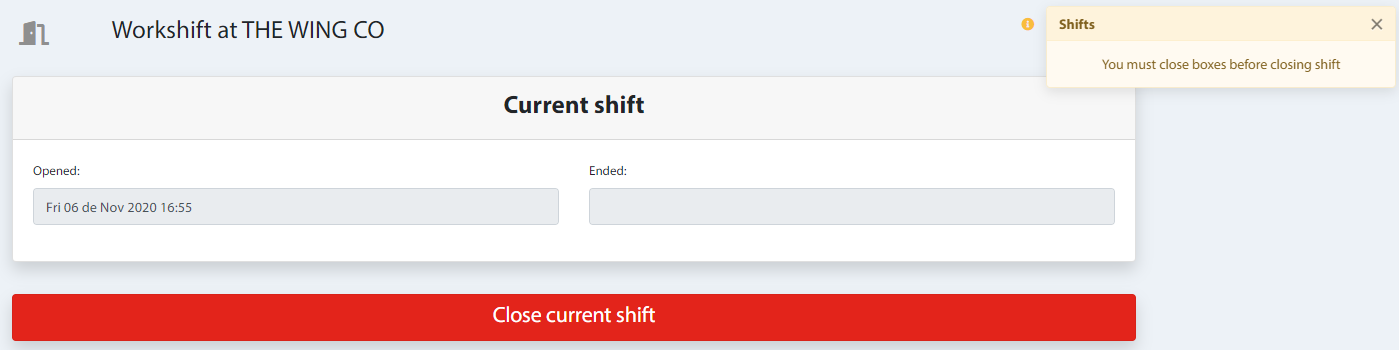
Warning
In order to correctly close the shifts it is necessary to have the boxes closed that were assigned as it will mark an error like the following.