# Start Cash Desk
This section will allow you to enable the necessary cash registers in the consumption center for collections. There is no set limit on the number of cash desks that can be used.
Attention
To be able to open cash desks, is necessary to start shift and create the cash desks in the center of consumption, since they are the ones that can be opened.
# Start a cash desk
To open cash desks, go to the Sales menu, and select the Start cash desk option from the drop-down menu.
In the section that appears, click on the button Start Cash Desk, the module will be displayed where you choose the cash desk you want to use, the user who will be in charge of the cash desk and the initial balance that the cash desk will have, once these fields are filled in the form, click on the button Start Cash Desk.
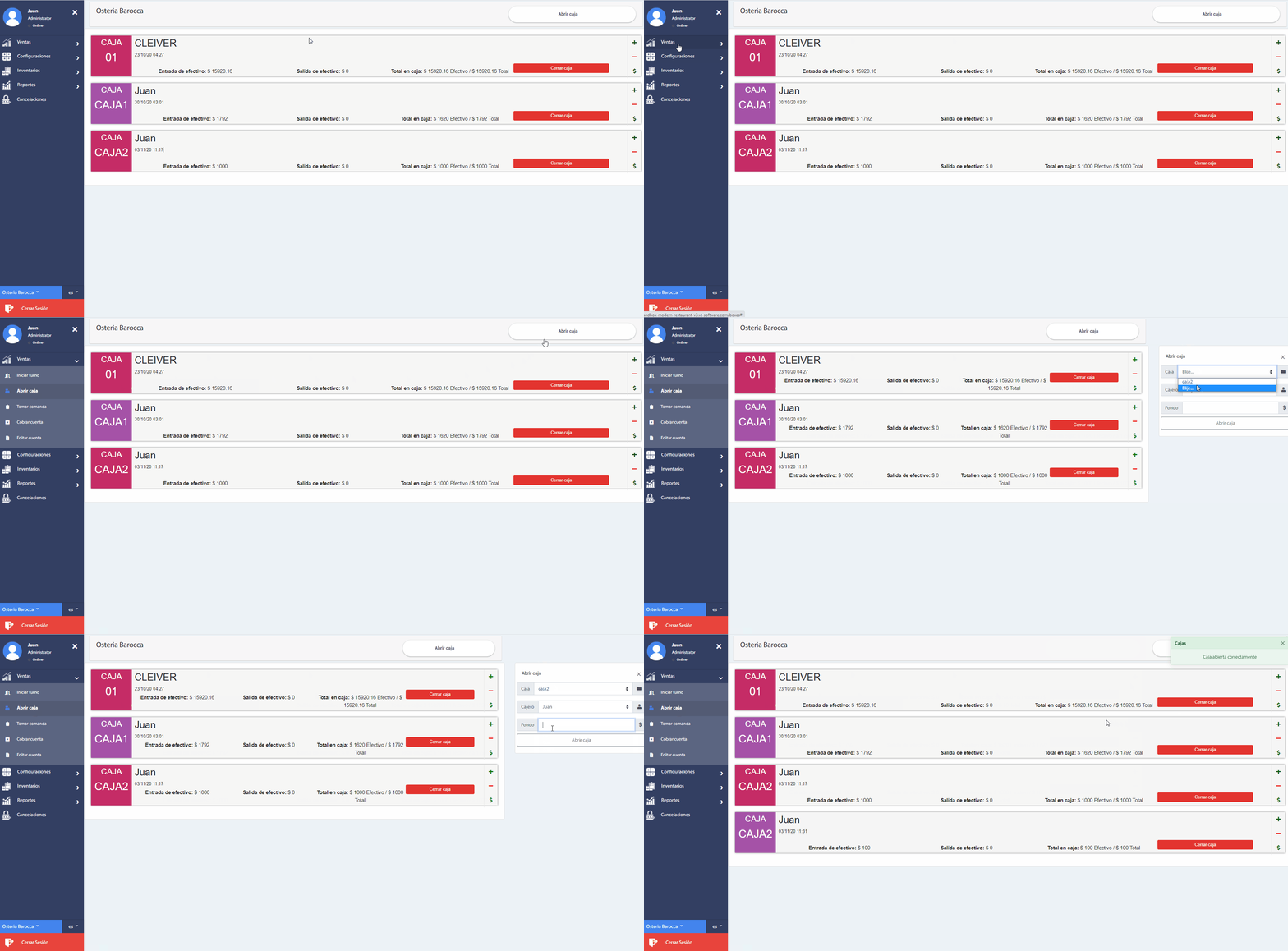
Note that it is possible to enter and withdraw cash in an open cash desk. These operations are shown in a history with the total balance.
Advice
All this process must be carried out by the administrator of the work center.
# Close a cash desk
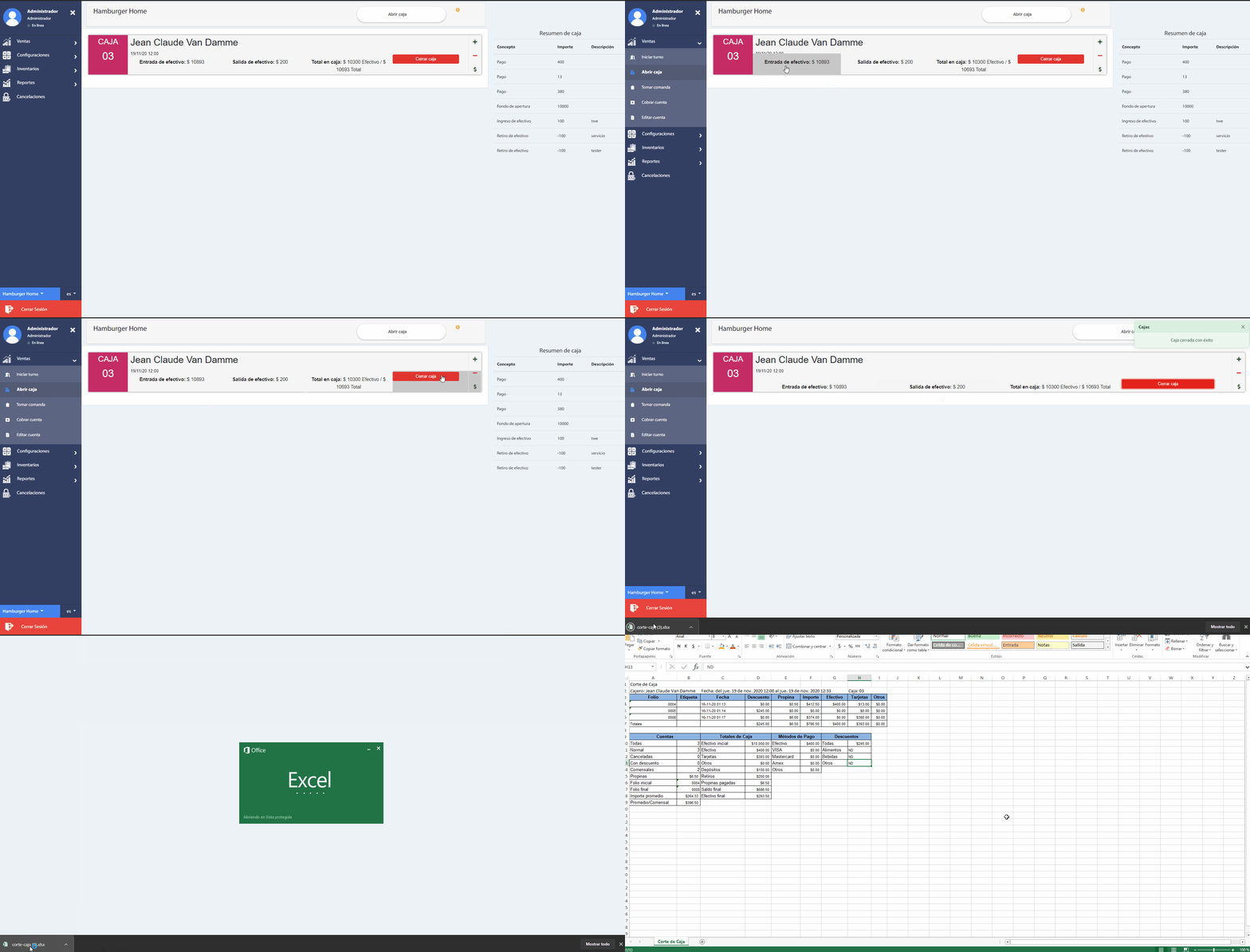
The End cash desk option will allow you to make the daily cut of each cash register, to obtain the accumulated income. Note that when you close the cash register, a document is downloaded in Excel, with the details of account payments, initial balance and cash outflow.
Attention
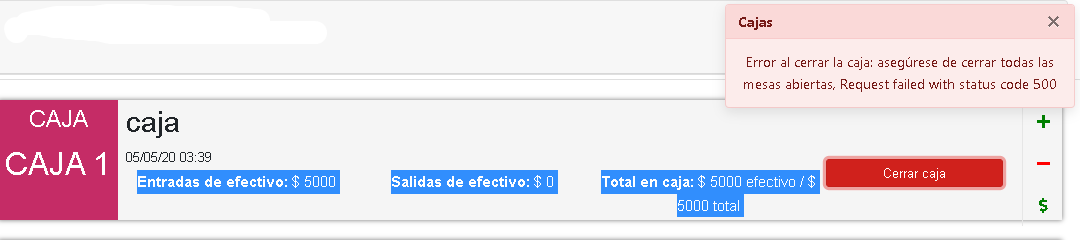
In order to correctly close the cash desk, it is necessary to have the tables closed that were assigned, since it will mark an error like the following.
← Start Shift Add order →