# Cash Desk
The module of cash desks is designed so that the administrator manages the creation of the necessary boxes in the center of consumption, these will be created according to the need of the user.
To access the module, go to the menu Settings and when you click on it, a submenu will be displayed, and the option Cash desk will be chosen.
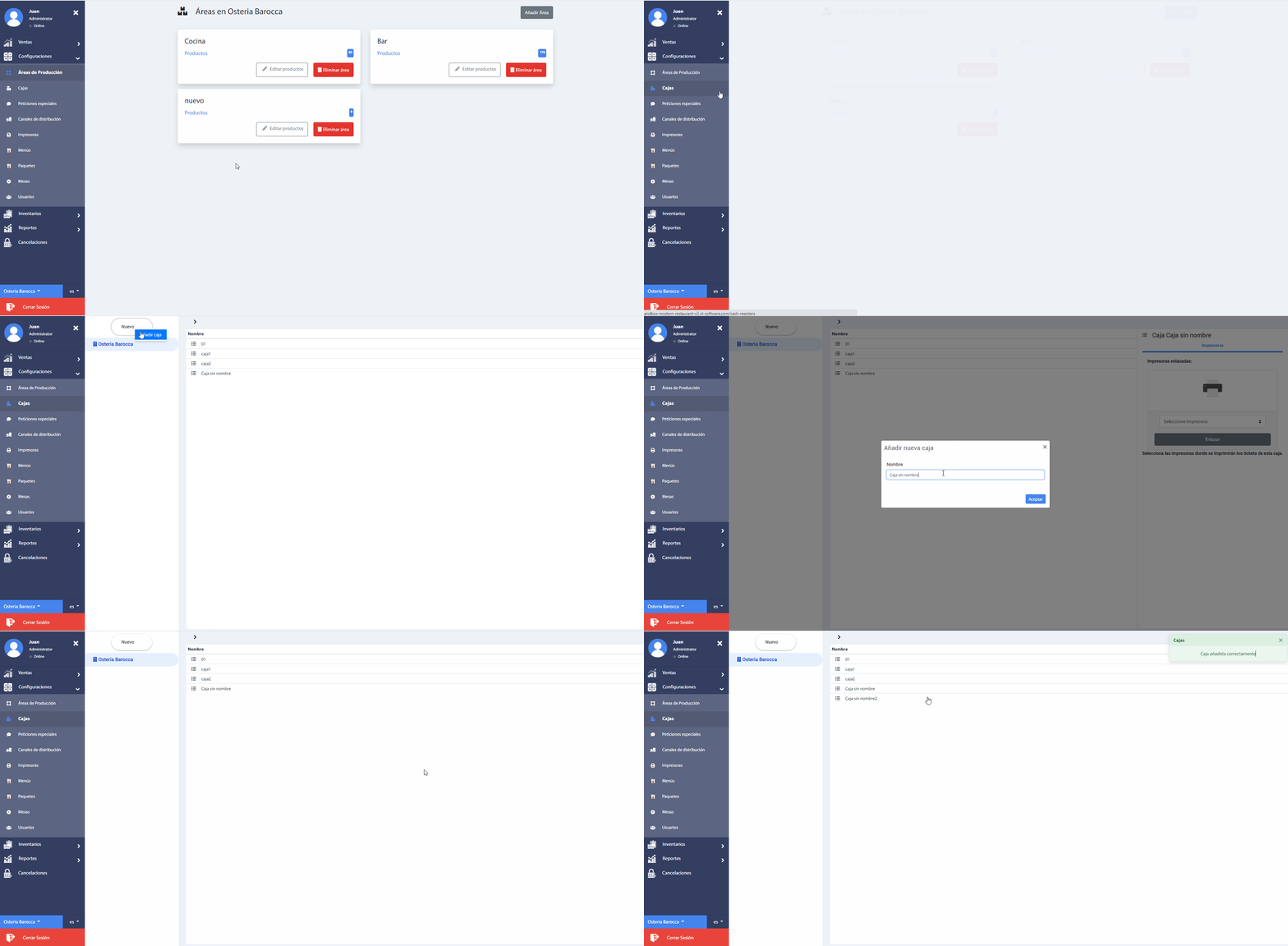
1. When you select a registered box, the printers that are linked to it will be displayed.
Recommendation
It is always necessary to add a printer, since without it you will not be able to print the consumption tickets.
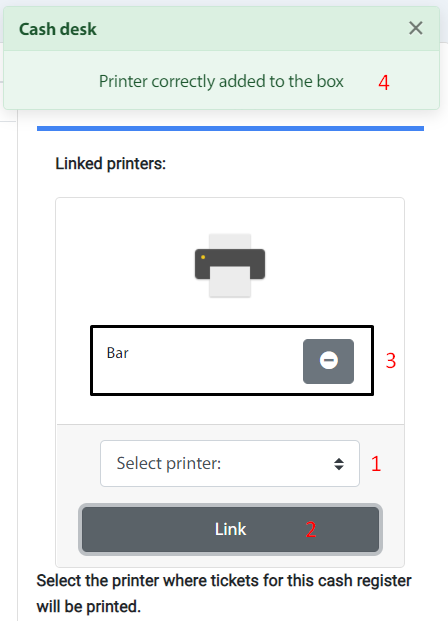
2. To link a printer to a cash desk, simply select a printer from the catalog(combo) and click on the Link button. Immediately a message will appear confirming that the printer has been successfully linked and the printer will be shown in the list of Linked printers.
The number of printers required can be added.
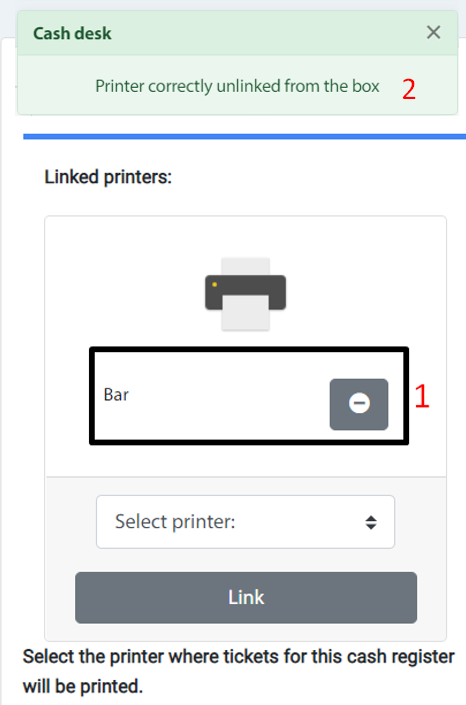
3. To unlink a printer to a cash desk, press the Remove button, located after the printer name. The system will inform us of the successful operation and the printer will no longer be shown in the list.