# Productions Areas
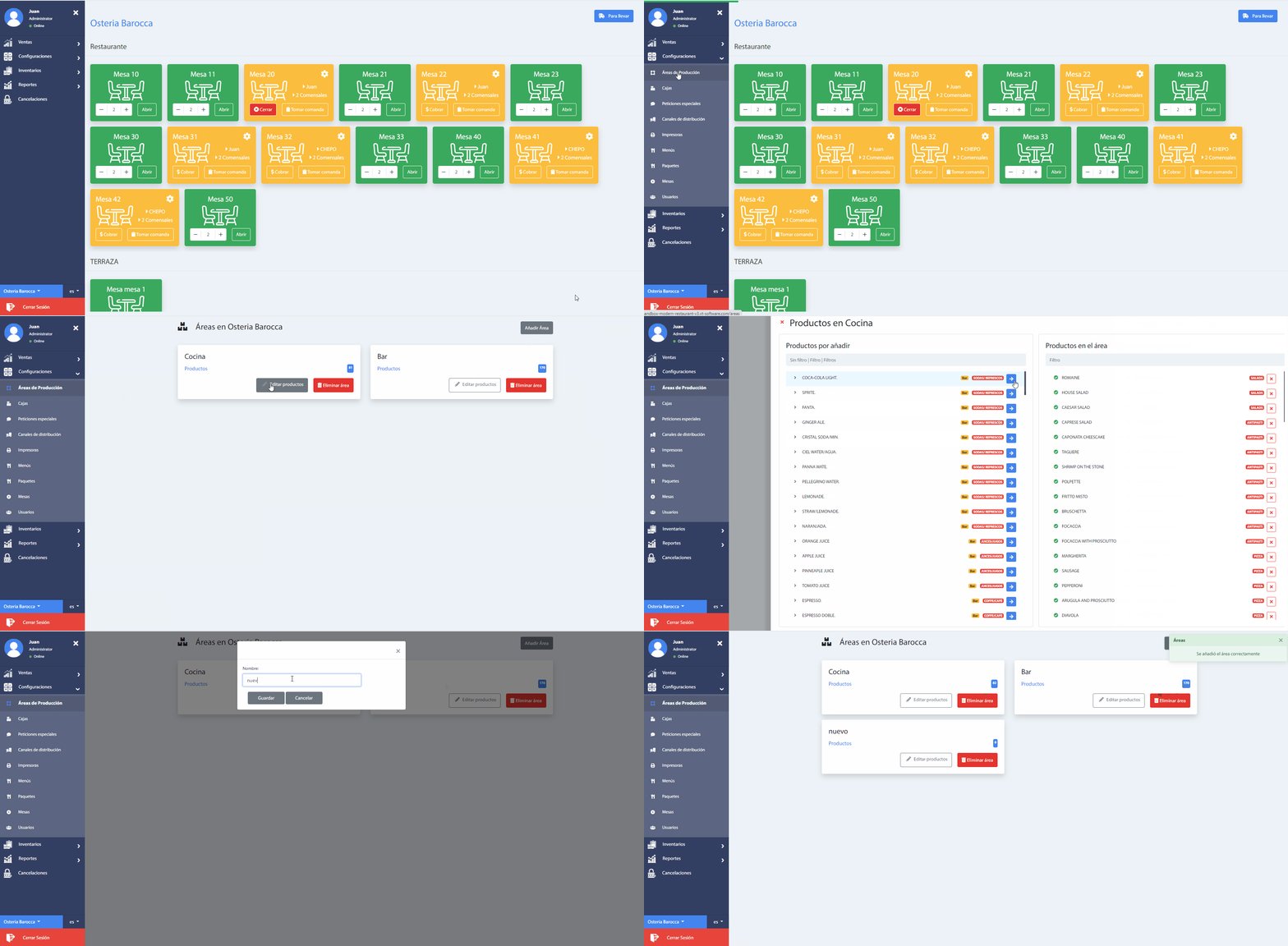
To access this section, go to the menu Settings, and from the drop-down menu choose the option Set products, which will allow you to add the different restaurant areas where the products will be prepared. The window is shown in the following way.
To add more locations where products can be prepared choose the Add Area button and after typing the name click the Save button.
Finally, in each area created, it is possible to add the products that will be elaborated, by clicking on the button Edit products. Note that a pop-up window appears with two sections: the products to be added(left) and the products added(right).
To add the products, click on the right arrow icon. The product will immediately be listed on the right.
Finally, you can see the list of products that have been sent to the production area by clicking on the Products link or on the button that indicates the number of products associated with the production area. These products are the order of the customers, added from the Add order section, which can be special.
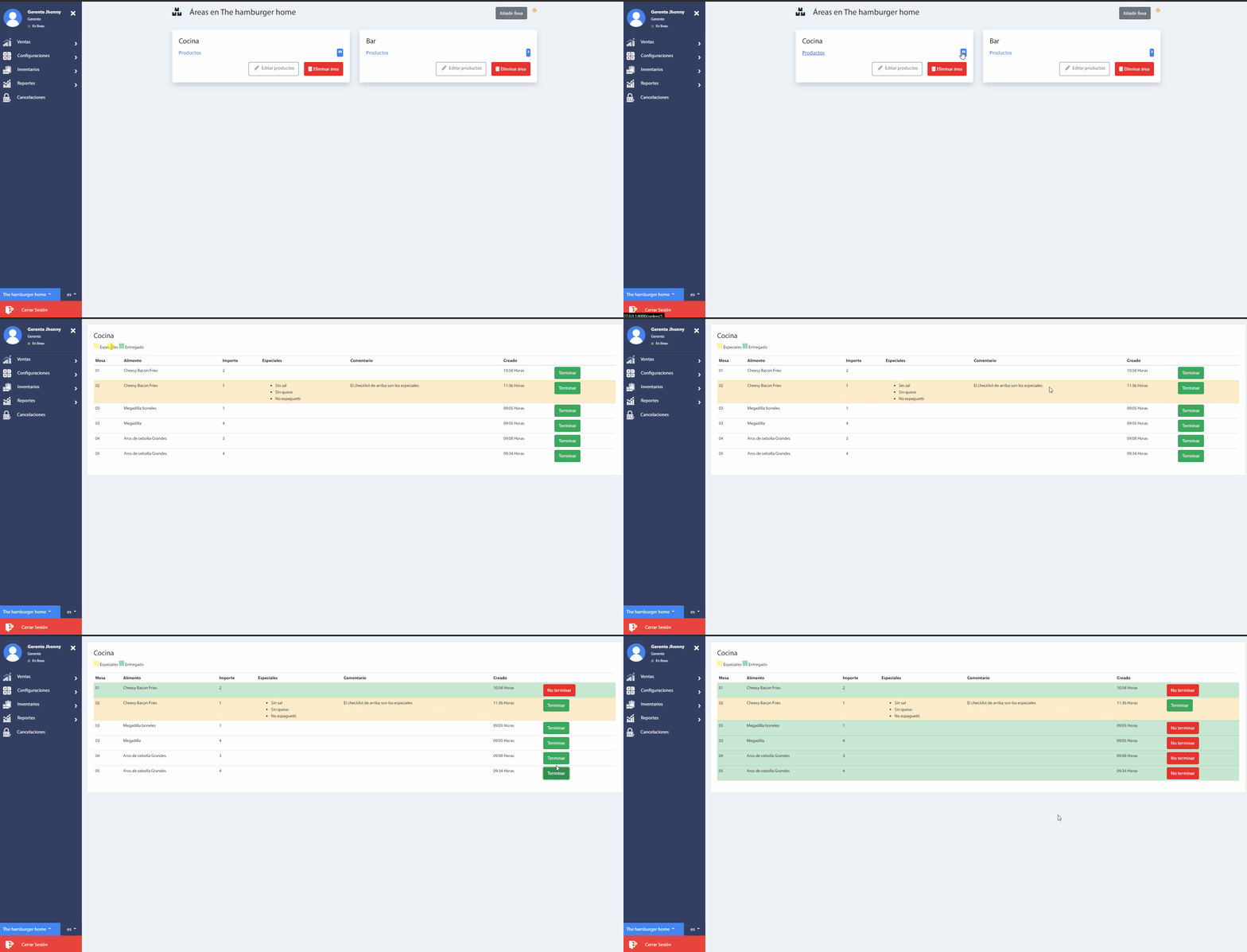
By pressing the button Finish, we indicate that the product is ready to be delivered to the customer.